
Email & Outlook Issues Repair in Brisbane
Emails not sending, Outlook not opening, or accounts not syncing? We fix email issues properly without guesswork.
Email problems can come from account errors, Outlook faults, or system issues. In many cases, the cause is not obvious and quick fixes fail. At Fix My Laptop, we identify the issue first, then restore stable email access across your devices.
Common Email and Outlook Problems
If your email behaves like this, the issue needs proper diagnosis.
Not sending or receiving
Messages stay in outbox or never arrive. This often points to account or server configuration issues.
Outlook crashing
Outlook may fail to launch or close unexpectedly. This usually indicates profile or software problems.
Login errors
Incorrect passwords or authentication errors can block access. This can be caused by account or security settings.
Not syncing
Messages appear on one device but not others. This often points to sync or server configuration problems.
Attachment issues
Files may not attach or download correctly. This can be caused by software issues or account limits.
Slow email performance
Email apps may lag or freeze during use. This often indicates system performance or Outlook related problems.
What Causes Email and Outlook Issues
Email problems are often misdiagnosed because multiple systems are involved.

Account configuration errors can prevent sending, receiving, or syncing. Fixing setup issues restores proper communication.
Outlook profile corruption can cause crashes or login problems. Rebuilding profiles often resolves these issues.
System or Windows issues can affect email performance and stability. Repairing the system can restore proper functionality.
Network or connectivity problems can interrupt email access. These must be tested to confirm the root cause.
What You Can Try First
These basic steps may resolve simple email issues before booking support.
Check your internet connection and restart your device. This can resolve temporary connectivity problems.
Verify your email password and account settings. Incorrect details can block access or syncing.
Restart Outlook or your email application. This can clear temporary software issues.
If problems continue, the issue is likely deeper. At that point, proper diagnosis is required.
When Email Issues Need Proper Repair
If these problems continue, quick fixes usually do not work.
Repeated login failures
If access keeps failing, account or security issues may be present. These need proper configuration to resolve.
Outlook keeps crashing
Frequent crashes usually indicate profile or system faults. Repair is required to restore stability.
Emails not syncing at all
If sync stops completely, server or account setup may be incorrect. This requires proper diagnosis.
Important emails are missing
Missing messages may indicate sync or storage issues. Immediate action helps prevent data loss.
How We Fix Email and Outlook Issues
We identify the root cause before applying any fix.
We check account settings, server configuration, and authentication. This ensures email works correctly across devices.
We repair Outlook profiles and resolve software issues. This restores stable performance and access.
We test system and network factors affecting email. This confirms the issue is fully resolved.
Why Choose Fix My Laptop
Many email problems are incorrectly handled or rushed. We identify the real issue first, then apply the correct solution. As a result, your email works reliably again.

Flexible Support Options
Choose how you want your email issues diagnosed and fixed.
Workshop Support
Bring your device to our Clayfield workshop for full email diagnosis and setup correction. This allows accurate testing and ensures your email works reliably.
On-site Service
We can assist at your home or office to fix email issues directly on your setup. This is useful for business users or when multiple devices need proper configuration.
Remote Support
Most email problems can be diagnosed and fixed through a remote session. This allows fast resolution without needing to visit the workshop in person.
Emergency
Urgent email issues can be prioritised for immediate attention and faster resolution. This helps restore access quickly when communication is critical for work.
Related Computer Services
Email issues often connect to other system or account problems.
Microsoft 365 Setup
Account setup issues can affect email access and syncing. Proper configuration ensures reliable communication across devices.
Software Support
System problems can affect Outlook performance and stability. Fixing Windows helps restore proper email function.

IT Support
Ongoing issues may require broader system support. IT services help maintain stable performance and prevent recurring problems.
Data Solutions
Email data can be important for business or personal use. Backup solutions help protect important messages and files.
Email and Outlook Support in Brisbane Northside
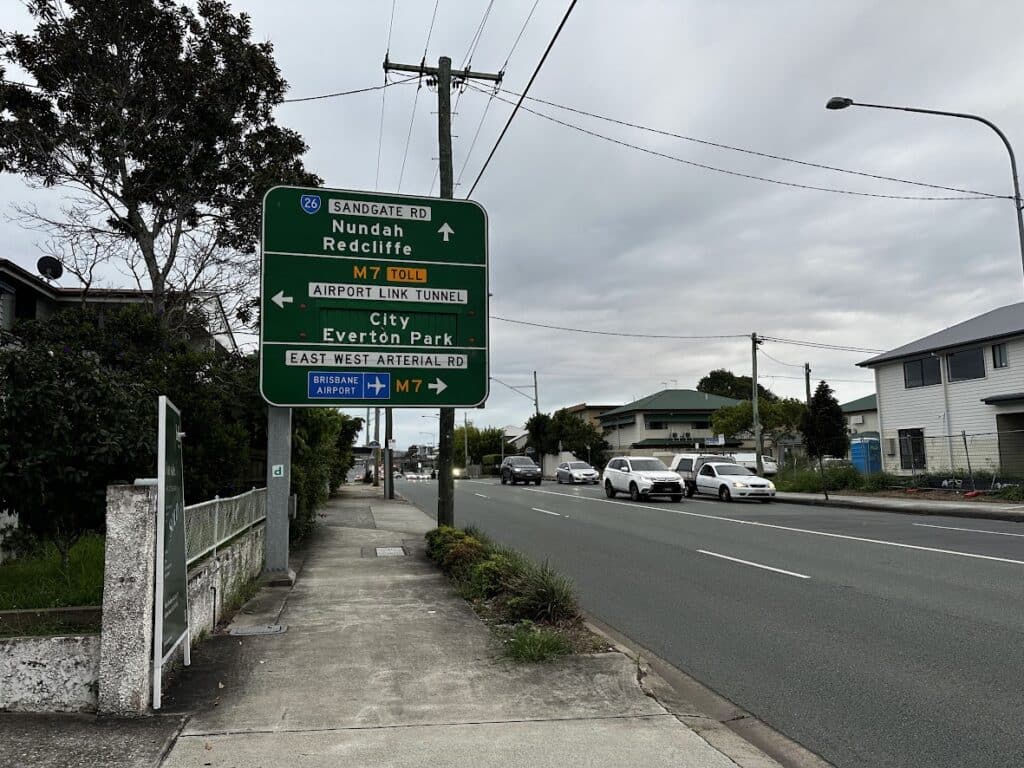
We provide email troubleshooting and repair from our Clayfield workshop and service nearby suburbs including Ascot, Hendra, Albion, Nundah, Kedron, Chermside, Wooloowin, and Hamilton.
Visit Us Today: 2/890 Sandgate Road, Clayfield, QLD 4011
Open Monday to Saturday. See our updated hours on Google Maps before visiting.
Frequently Asked Questions

Can you fix email remotely?
Yes, most email issues can be resolved through remote support.
Will I lose my emails during repair?
We aim to keep your data safe while fixing the issue.
Do you support Microsoft 365 accounts?
Yes, we handle setup, repair, and syncing for Microsoft 365.
How long does it take to fix email issues?
Most issues are resolved the same day depending on complexity.