Skip to content
Fix My Laptop Logo
Request a Quote Visit Workshop
Call Technician
  • Laptop RepairExpand
    • Screen Replacement
    • Battery Replacement
    • Charging Port Repair
    • Keyboard Replacement
    • Laptop Hinges Repair
    • Liquid Damage Repair
  • Computer RepairExpand
    • Hardware Repair
    • Windows Repair
    • Virus & Malware Removal
  • Computers & AccessoriesExpand
    • Refurbished Computers
    • Laptop Chargers
    • Storage Devices
  • Computer UpgradesExpand
    • SSD Upgrade
    • RAM Upgrade
    • Mesh Wi-Fi Systems
  • Data & BackupExpand
    • Data Recovery
    • Backup Solutions
    • Cloud Backup
    • Data Transfer & Setup
  • Business IT SolutionsExpand
    • Microsoft 365 Solutions
    • Manage IT Support
    • On-Site IT Support
    • Remote IT Support
    • Emergency IT Support
  • Tech Tips
Fix My Laptop Logo
Visit Workshop
Call Technician
  • set up a new laptop - transfer data, install updates and antivirus, configure backups

    The New PC TuneUp

    December 15, 2021June 15, 2024

    How exciting! You got a new computer for Christmas. It’s sleek, shiny, and so much faster than what you had before. That’s great, but it doesn’t mean you should leave it untouched. This article shares several steps you might take to secure your data and keep that new device in tip-top shape.

    Read More The New PC TuneUpContinue

  • buying tech in time for christmas

    Buying Tech in Time for Holidays

    November 30, 2021June 15, 2024

    Christmas time is back with us again.  The latest devices and gadgets are hitting store shelves just in time to keep up with the rush.  Magazines, television, and the web are brimming with advertisements and reviews of the latest tech your money can buy.

    Read More Buying Tech in Time for HolidaysContinue

  • Windows 11 - wait our upgrade

    Why You Might Wait to Upgrade to Windows 11

    November 24, 2021June 15, 2024

    In the last month, Microsoft has been rolling out the next iteration of its operating system, Windows 11. Of course, new = better, right? But, when it comes to Windows 11, you may want to consider waiting. Here’s why.

    Read More Why You Might Wait to Upgrade to Windows 11Continue

  • SSD failure warning signs

    5 Signs Your Solid State Drive is Failing

    November 17, 2021June 15, 2024

    Upgrading your slow computer with a Solid State Drive (SSD) will give it a new lease of life. You will get much better performance, battery life, and reliability. However, even SSDs aren’t immune from failure. Are you worried your SSD will malfunction and break down and take all of your data with it? Look for these warning signs.

    Read More 5 Signs Your Solid State Drive is FailingContinue

  • What is the best antivirus for Windows and Mac

    What’s the Best Anti-Virus?

    November 3, 2021June 15, 2024

    We get to hear this question all the time, especially after people have been hit with viruses or malware despite having paid for an expensive antivirus package! Unfortunately, there is no objective answer. It all comes down to opinions. We will tell you ours…

    Read More What’s the Best Anti-Virus?Continue

  • Finding the Best Place for your Desktop PC

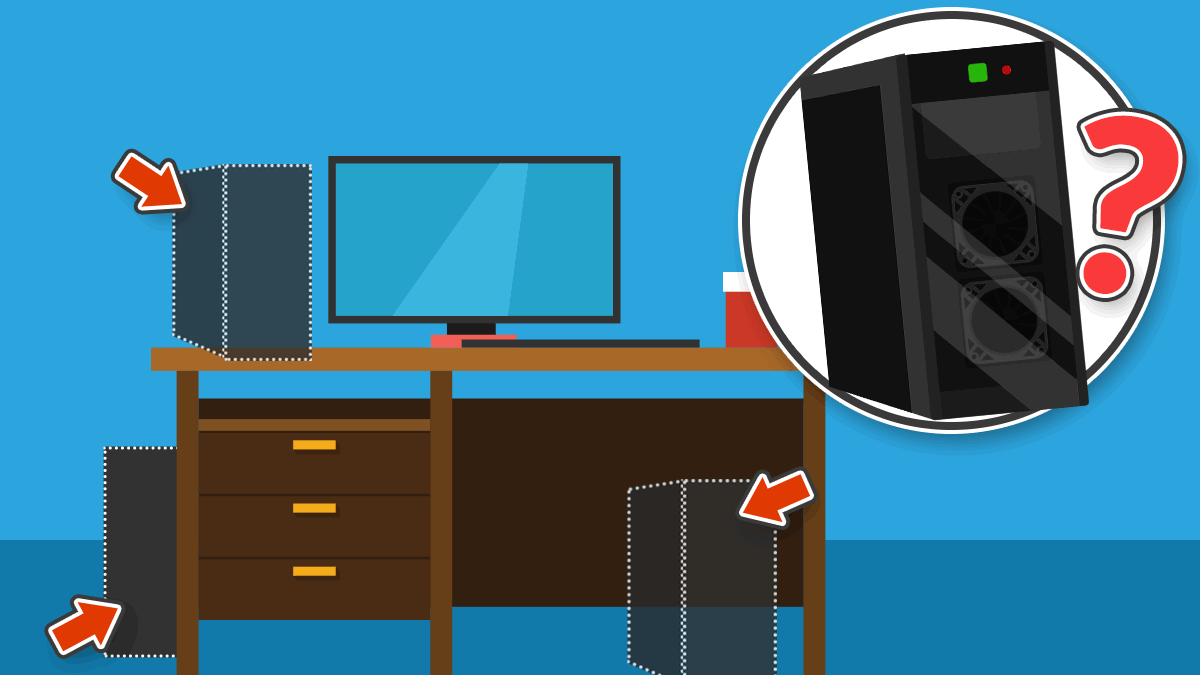
    Where the Best Place For Your Desktop PC?

    October 26, 2021June 15, 2024

    There’s a lot of talk about the best places to use your laptop. We’ll recap that discussion briefly below, but the real focus of this article is where it’s best to put your desktop PC.

    Read More Where the Best Place For Your Desktop PC?Continue

  • Windows 11 is out. Time to upgrade?

    Windows 11 is Out. You Don’t Need to Upgrade Yet

    October 11, 2021June 15, 2024

    Despite telling us Windows 10 is the last operating system that would ever be released by Microsoft, they released Windows 11 last week. You can upgrade your computer to Windows 11 some time soon, or replace it with a new one. I wouldn’t hurry though and here is why…

    Read More Windows 11 is Out. You Don’t Need to Upgrade YetContinue

  • Windows 10 list installed programs

    Can You Transfer Programs to a New Computer?

    September 30, 2021June 15, 2024

    When you buy a new Windows computer, you probably want to transfer all your files, emails, bookmarks, and programs to it. Many people are surprised to learn that programs don’t transfer the same way as your files and settings. Check out our latest blog post to learn why and how to get around this!

    Read More Can You Transfer Programs to a New Computer?Continue

Page navigation

Previous PagePrevious 1 … 14 15 16 17 18 … 32 Next PageNext
Fix-My-Laptop-Logo-Ftr

service@fixmylaptop.com.au

(07) 3857 6875

0403 100 701

2/890 Sandgate Road, Clayfield QLD 4011

BUSINESS HOURS

Monday10:00 AM — 6:00 PM
Tuesday8:00 AM — 4:00 PM
Wednesday10:00 AM — 6:00 PM
Thursday8:00 AM — 4:00 PM
Friday10:00 AM — 2:00 PM
Saturday8:00 AM — 4:00 PM
SundayClosed

Updated hours are always available on Google Maps
We reserve the right to open later and close earlier

JOIN OUR NEWSLETTER

Be the first one to know of our Tech Savvy tips and exclusive offers!

© 2026 Fix My Laptop Brisbane

Terms and Conditions

Privacy Policy

Facebook X Linkedin
Scroll to top
  • Laptop Repair
    • Screen Replacement
    • Battery Replacement
    • Charging Port Repair
    • Keyboard Replacement
    • Laptop Hinges Repair
    • Liquid Damage Repair
  • Computer Repair
    • Hardware Repair
    • Windows Repair
    • Virus & Malware Removal
  • Computers & Accessories
    • Refurbished Computers
    • Laptop Chargers
    • Storage Devices
  • Computer Upgrades
    • SSD Upgrade
    • RAM Upgrade
    • Mesh Wi-Fi Systems
  • Data & Backup
    • Data Recovery
    • Backup Solutions
    • Cloud Backup
    • Data Transfer & Setup
  • Business IT Solutions
    • Microsoft 365 Solutions
    • Manage IT Support
    • On-site Support
    • Remote Support
    • Emergency Support
  • Tech Tips
  • Request a Quote