If you’re thinking of skipping or delaying Windows 11, you can. But you should also understand how the next few years are going to play out. This isn’t fearmongering. It’s a grounded look at how long your apps, security tools, and general sanity will hold up if you stay with Windows 10.
TL;DR (the Version Microsoft Hopes You Don’t Read)
- Windows 10 works fine today and will keep working for years.
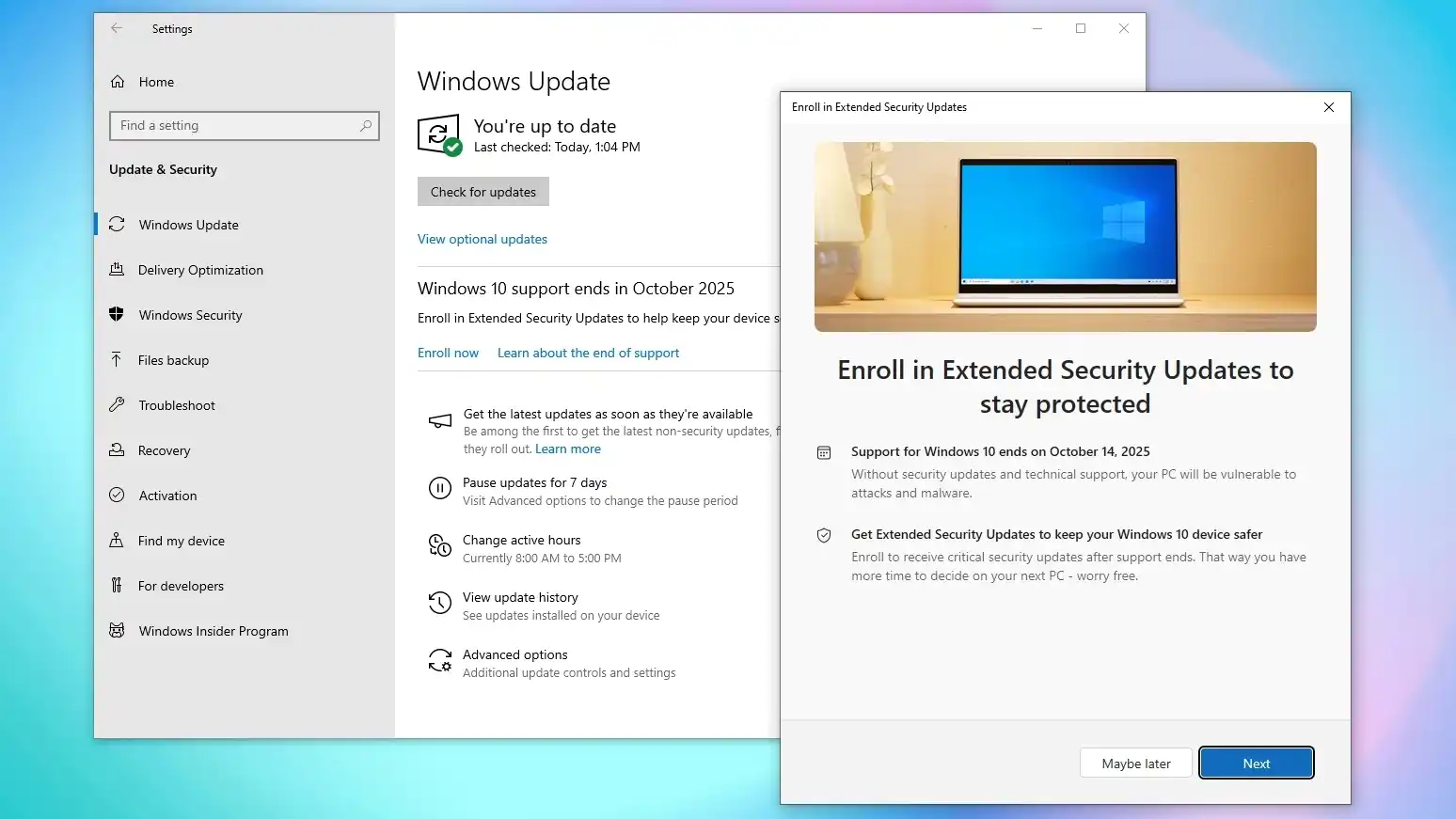
- Security updates: normal support has ended, but Extended Security Updates (ESU) carry you to October 2026.
- Windows Defender definitions will update until 2028 (at least).
- Most apps will continue working for years, but some will slowly begin dropping Windows 10 support.
- Expect Microsoft to keep nagging you, because of course they will.
- You don’t need to panic, and you don’t need to upgrade until you decide to.
Where We Are Now
Support for Windows 10 officially ended in October 2025. The sky didn’t fall and your computer still works! The practical reality:
- New bugs? No fixes.
- New security vulnerabilities? No patches unless you sign up for Extended Security Updates
- Microsoft’s live support is gone – not that it was ever useful.
The good news is that Microsoft introduced Extended Security Updates, and they’re effectively free as long as your system is tied to your Microsoft account. You still have to sign up, but nothing stops you from doing it even now. That pushes your real end date to October 2026.
Before October 2026
If you join ESU, your Windows 10 life continues almost unbothered for another year. Same rules apply:
- No feature updates
- No “quality of life” improvements – could actually be a good thing!
- No major changes
- But security fixes keep trickling in
It’s basically Microsoft keeping you on life support while gently whispering “Windows 11 is… free… please… we swear we won’t change your default browser again.” After 2026, that’s when things get more interesting.
After 2026: No More Safety Net
Once ESU ends:
- Bugs are forever
- Security holes stay open
- And you’re officially using a museum piece
Still… this doesn’t mean it stops working. Not even close. Windows 7 survived years past its expiry date. Entire governments were still using it long after Microsoft begged them to stop. Windows 10 will be the same. And ironically, the thing that breaks first is usually not Windows itself – it’s the apps.
What Will Actually Break First?
If you are using the free Windows Defender as your antivirus, it will keep getting virus definition updates for three years after the 2025 cutoff. Random apps will eventually say “Windows 10 not supported.”
There is no schedule. No pattern. Developers just decide when it’s convenient for them. You might not feel it for years. And by the time it does matter, you’ve probably replaced your machine anyway.
Meanwhile: The Nagging Intensifies
You know what won’t stop working? Microsoft’s pop-ups trying to herd you into Windows 11.
- “Your PC is eligible!”
- “Your PC is NOT eligible!”
- “Maybe buy a new PC?”
- “This PC doesn’t meet requirements, but would you like to shop for one that does?”
They’ll nag you like a needy ex. Dismiss every message. They always come back.
So What Should You Actually Do?
Windows 10 will degrade slowly, predictably, and with plenty of advance warning. If you decided to stay on Windows 10 for now, just keep doing the basics:
- Keep Windows 10 updated through ESU
- Keep your antivirus and browser updated
- Keep your backups solid
- Don’t click anything cursed
- Ignore the upgrade pop-ups
And when an app you rely on finally drops support (which might be 2027… 2030… who knows), that is when you make a decision. Most people will naturally upgrade hardware long before Windows 10 becomes unusable.
One upside nobody mentions: if you’re not rushing into Windows 11, you’re also not forced into buying new hardware just because Microsoft wants everyone on “AI PCs.” Plenty of perfectly good machines can’t pass Microsoft’s arbitrary Windows 11 checks, but they run Windows 10, Linux or ChromeOS flawlessly.
That’s exactly why we stock refurbished business-grade laptops: they’re fast, reliable, come without bloatware, and cost a fraction of a new retail machine. For anyone who just needs a solid computer without forking out for brand-new gear, refurbished hardware is the most sensible option – it keeps money in your pocket and keeps good machines out of landfill.