Skip to content
Fix My Laptop Logo
Get a Free Quote Visit Us
Call Us
  • Laptop RepairExpand
    • Screen Replacement
    • Laptop Hinges Repair
    • Laptop not Charging
    • Laptop not Starting
    • Laptop Overheating
    • Battery Replacement
    • Keyboard Replacement
    • Water Damage
  • Computer RepairExpand
    • Diagnostics
    • Startup Issues
    • Virus & Malware Removal
    • Windows Reinstall
    • Email and Outlook issues
    • Software Update Problems
    • Tune-up and Cleaning
    • Software Crashes
  • SalesExpand
    • New Computers
    • Refurbished Computers
    • Laptop Chargers
    • Hard Drives & USB sticks
  • UpgradesExpand
    • SSD Upgrade
    • Add More RAM
    • Better Wi-Fi
    • Windows 11 Upgrade
  • Data RecoveryExpand
    • Data Backup
    • Data Recovery
    • Cloud Backup
    • Data Transfer & Setup
  • Business SolutionsExpand
    • IT SupportExpand
      • In-shop Support
      • On-Site Support
      • Remote Support
    • Microsoft 365
    • Website Design & SEO
    • Emergency Support
  • Blog
Fix My Laptop Logo
Visit Us!
Call Us!

Laptop not Charging

battery not charging, battery drains fast

Is your laptop plugged in but not charging? When deadlines are approaching and your computer refuses to power on, it can be stressful. If it is your only device and you have no backup of your files, the situation feels even worse. At Fix My Laptop Brisbane, we see this problem every day. The most common cause is a faulty charger, which is usually quick and affordable to replace. In some cases, you may need a new battery or a board-level repair. Bring your laptop in before the battery goes completely flat and our technicians will diagnose the issue fast.

Broken laptop charger

Is It a Broken Charger?

Most laptops today still rely on proprietary chargers, which means you usually need one made by the same brand. If you own several laptops from a single manufacturer, their chargers may work across different models, but not always.

Business models such as HP ProBook or EliteBook often use different chargers compared to consumer models like the HP Pavilion or Envy. Lenovo makes things even more complicated, with five or more charger types, some of which are uncommon and difficult to replace.

Charger compatibility depends on both the connector type and the voltage. The wattage can be higher without issue, and in some cases lower, but there is no guarantee it will charge properly. For example, a 90W charger will power a laptop that needs 65W, but the opposite may fail.

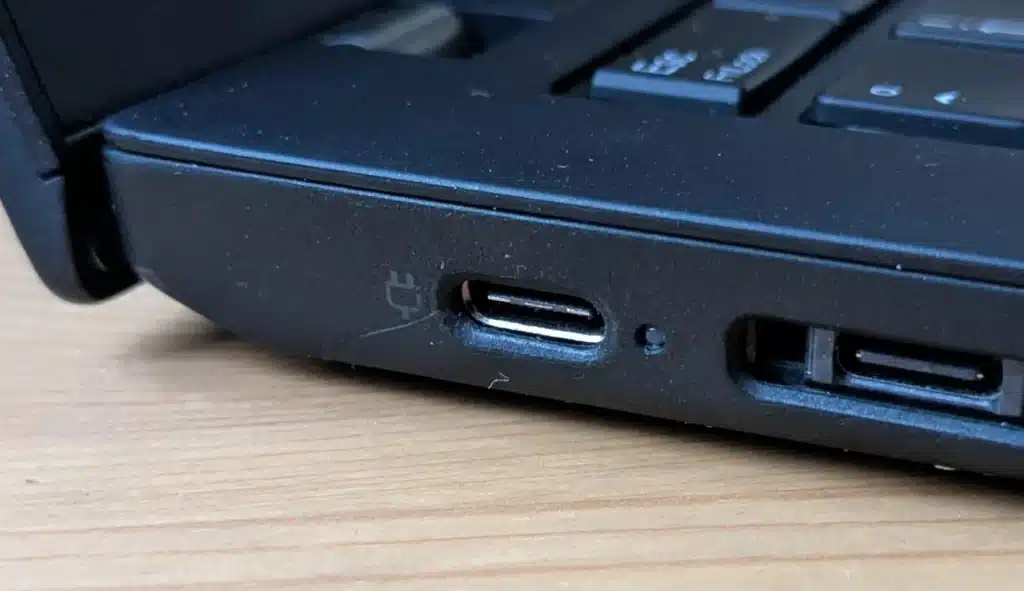
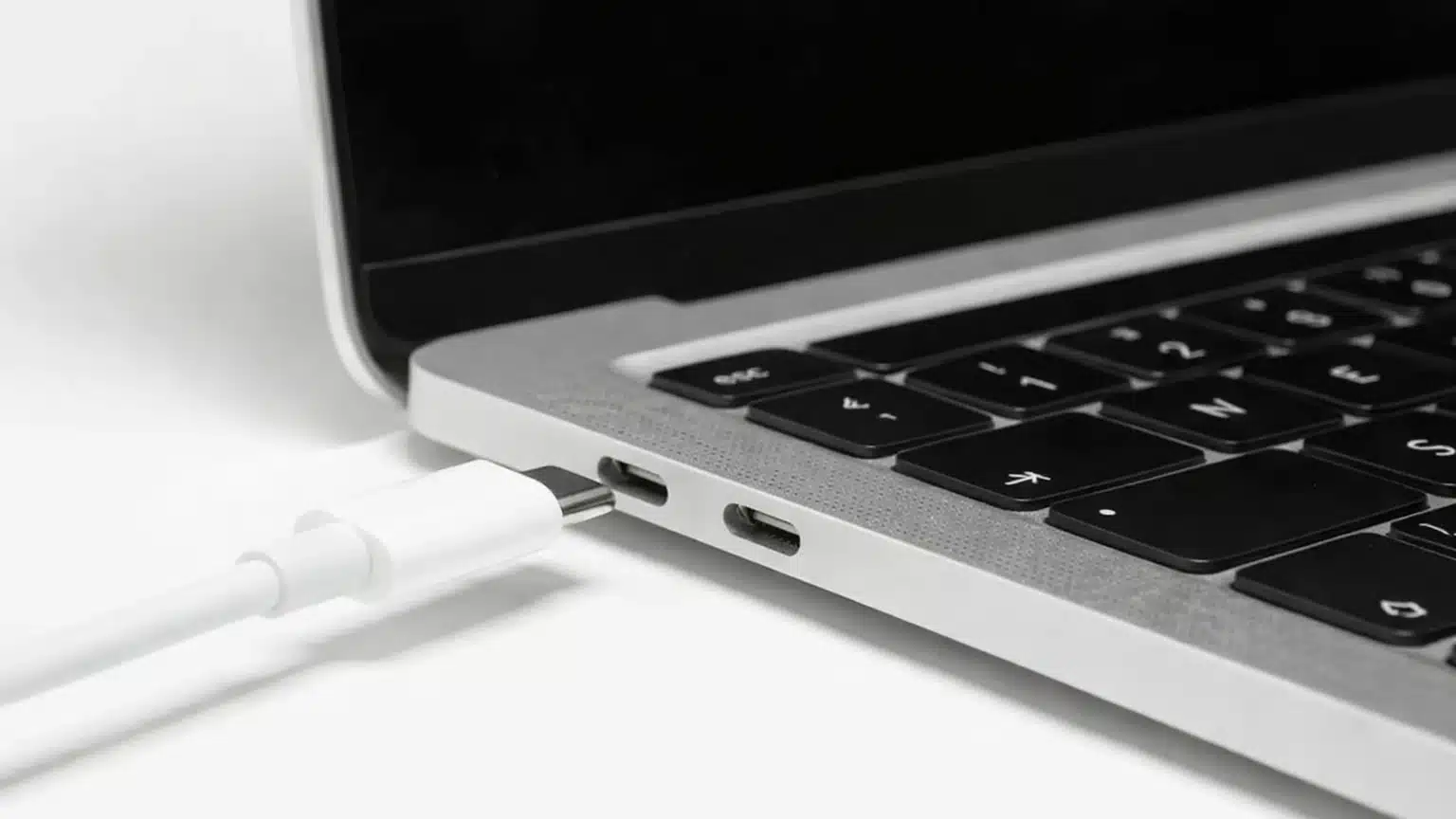
Newer laptops are increasingly adopting USB Type C charging, which is quickly becoming the standard. With this option, any charger of equal or higher wattage usually works. Lightweight models such as the Apple MacBook Air can even charge from a car’s 12V port, making them convenient for travel.

Is it an Old Battery?

If your laptop battery is failing, replacement is the only fix. Windows and macOS often warn you, but the signs appear earlier. A weak battery may last minutes, less than an hour, or stop charging completely.

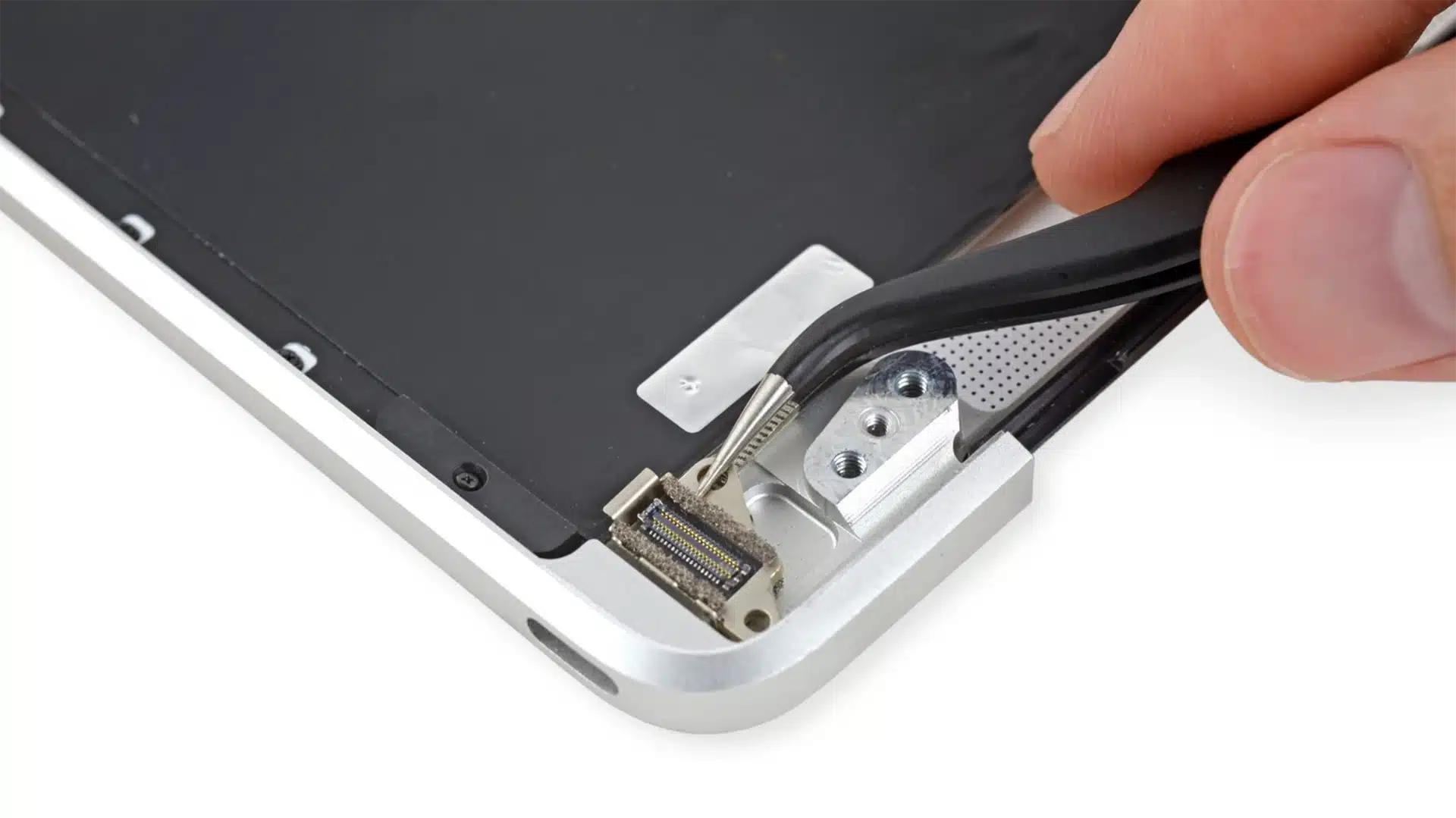
Older laptops often come with a user-serviceable battery that can be swapped out in less than a minute. Modern designs are different and usually require full disassembly, which is why it is safer to bring your device to a computer repair shop like us. At Fix My Laptop Brisbane, we replace batteries quickly and use trusted parts to keep your system running reliably.

When shopping online, be cautious with what you buy. We always recommend original batteries supplied by the manufacturer. Many of the cheaper options are third-party products with lower quality standards. They may work for a short time, but they rarely last. In some cases, poor-quality or counterfeit batteries can even swell or pose fire risks. Choosing the right replacement protects both your laptop and your safety.

Failing laptop battery, not charging, low capacity
Broken laptop charging port

Is it the DC Jack

A broken DC jack, also known as the laptop power port, is a common reason a laptop stops charging. If the port fails, the battery cannot recharge. Once the battery runs out, the laptop will no longer power on at all.

The DC power jack is an essential part of your laptop because it connects the charger to the device and keeps the battery powered. When it stops working, the laptop may not charge or receive power even though it is plugged in. Problems with the DC jack are more common than you might think.

Physical damage is often the main cause. Pulling the charger cord too hard can loosen or break the jack, and frequent plugging and unplugging wears it out over time. Another sign of trouble is when the charger only works at a certain angle or if you need to apply pressure for it to connect.

If you notice these issues, it is best to act quickly before the damage gets worse. At Fix My Laptop Brisbane, we replace faulty DC jacks and restore reliable charging. Most replacements cost between $120 and $150. For laptops with soldered or USB-C jacks, repairs are usually around $250.

Need a Quote?

Call or text us for a prompt reply.

We can provide a free quote and flat-priced service fee for simple repairs.

For more complex problems or personalised laptop support, it’s best to bring your device in.

2/890 Sandgate Road, Clayfield

07 3857 6875

0403 100 701

service@fixmylaptop.com.au

Fix-My-Laptop-Logo-Ftr

service@fixmylaptop.com.au

(07) 3857 6875

0403 100 701

2/890 Sandgate Road, Clayfield

BUSINESS HOURS

Monday10:00 AM — 6:00 PM
Tuesday8:00 AM — 4:00 PM
Wednesday10:00 AM — 6:00 PM
Thursday8:00 AM — 4:00 PM
Friday10:00 AM — 2:00 PM
Saturday10:00 AM — 2:00 PM
SundayClosed

Updated hours are always available on Google Maps
We reserve the right to open later and close earlier

JOIN OUR NEWSLETTER

Be the first one to know of our Tech Savvy tips and exclusive offers!

© 2026 Fix My Laptop Brisbane

Terms and Conditions

Privacy Policy

Facebook X Linkedin
Scroll to top
  • Laptop Repair
    • Screen Replacement
    • Battery Replacement
    • Charging Issue
    • Hinges Repair
    • Keyboard Replacement
    • Overheat Issue
    • Startup Issue
    • Water Damage
  • Computer Repair
    • Diagnostics
    • Startup Issue
    • Virus & Malware Removal
    • Windows Reinstall
    • Email and Outlook Issue
    • Software Update Issue
    • Tune Up & Cleaning
    • Software Crashes
  • Sales
    • New Computers
    • Refurbished Computers
    • Laptop Chargers
    • Hard Drives & USB sticks
  • Upgrades
    • SSD Upgrade
    • Add More RAM
    • Better Wi-Fi
    • Windows 11 Upgrade
  • Data Recovery
    • Data Backup
    • Data Recovery
    • Cloud Backup
    • Data Transfer & Setup
  • Business Solutions
    • IT Support Pricing
      • In-shop Support
      • On-site Support
      • Remote Support
      • Emergency Support
    • Microsoft 365
    • Website Design & SEO
  • Blog
  • Get A Free Quote