Virus & Malware Removal
Anyone can get a computer virus or malware, no matter how careful they are. These infections slow your computer, fill your screen with unwanted ads, and sometimes even redirect your searches. In more serious cases, spyware can capture your passwords and personal details. The most dangerous threat is ransomware, which can lock or delete your files and leave your data at risk. At Fix My Laptop Brisbane, we specialise in fast virus and malware removal that keeps your information safe.
$250
Includes complete virus cleanup, tune-up and optimization, and one year license for enterprise-grade antivirus.

Trained by Ken Dwight – The Virus Doctor!
Signs of a Malware Infection
Viruses often make your computer behave strangely. You might suddenly see pop-ups, unwanted ads, or strange programs launching at startup and warning you about fake issues.
In other cases, a virus will hijack your browser. You click on a normal search result, only to be redirected to shady websites instead of the page you expected.
Some infections are harder to spot. They run quietly in the background, collecting logins or banking details. If your passwords stop working or you notice suspicious charges on your account, it’s time to have your system checked.
The most serious threat is ransomware. This type of virus encrypts your files and locks your computer until a ransom is paid, often in Bitcoin. Even if you pay, there’s no guarantee you’ll get your data back.

Your Antivirus Might Be Failing You!
Relying on antivirus software should only be your last layer of defence. According to AV-Test, around 12 million new malware variants appear every month. With numbers like that, it is easy to see why antivirus alone cannot keep up.
According to security researchers, it takes about two days for most antivirus programs to recognise a new malware sample. This is because antiviruses rely on updated signatures. When a suspicious file contains code linked to a known virus, it gets flagged as malware.
A major study in 2014 showed that in the first hour of a malware release, only 30% of antivirus software identified the file as a threat. After one day, the detection rate improved to 66%. By the end of the week, 72% of the malicious files were being recognised.
This is why professional virus removal in Brisbane is so important. Waiting for your antivirus to catch up can leave your computer exposed. Our malware removal service not only cleans infected systems but also helps protect your files and keep your data safe.

Common Ways of Getting Infected
Computers can pick up viruses in many different ways. In most cases, infections fall into five common categories.
Suspicious emails
Avoid opening attachments or links from unknown senders. Be cautious of emails that create urgency.
Unsafe downloads
Stick to official websites. Pirated or cracked software is one of the fastest ways to get infected.
Online ads
Some ads look safe at first. Cybercriminals replace them later with malicious links once they gain trust.
Social media links
Even a friend’s profile can be hacked. Always think twice before clicking.
Outdated software
Running older versions of Windows, Office, Acrobat or Java makes it easier for attackers to get in.
Our Virus and Malware Removal Service
We can help scan and clean your computer quickly. As part of the service, you also get a full tune-up and optimisation to improve performance. In addition, we install an ad blocker and set up DNS filtering. You will receive a one-year license for an enterprise-grade antivirus to keep your system protected.
After removing infections, we also do a full tune-up so your computer runs fast and stays clear of junk programs.
Those so-called optimisers, registry cleaners, and driver updaters often cost money every year without giving real speed improvements. We remove them and leave your system running clean.
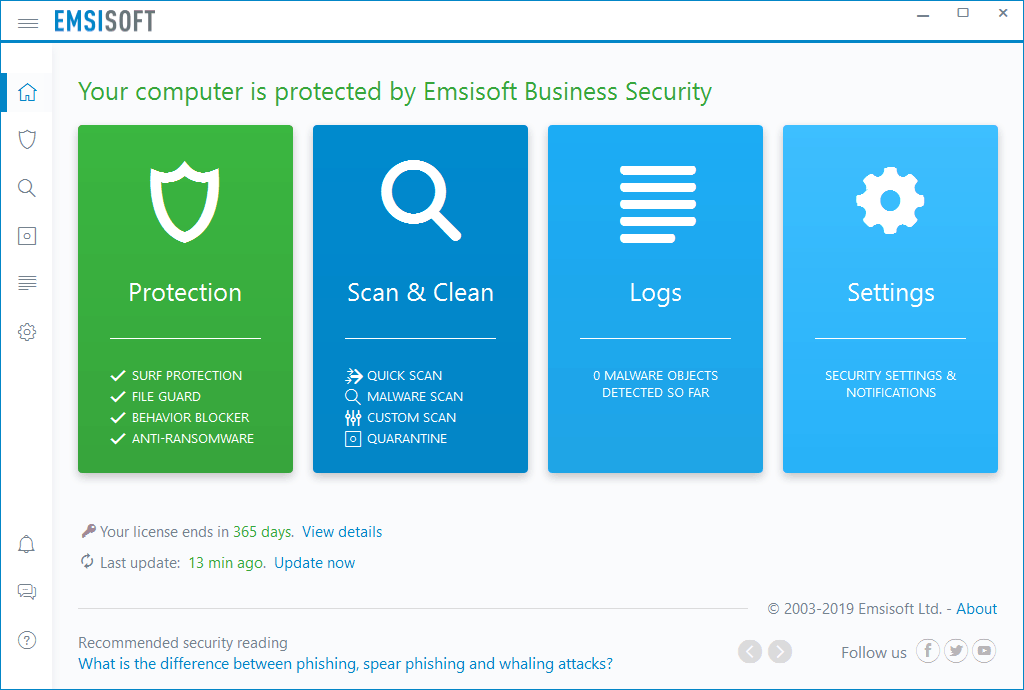
We then install the best antivirus for your device – Emsisoft Anti-Malware on Windows or Malwarebytes on Mac. This protects your computer in real-time and includes a one-year license, with a reminder when it’s due for renewal.
To finish, we add an ad blocker and DNS filtering to keep malicious websites away.